

Tools That Replace Check-In Meetings (If You Still Have Them)
Defaulting to a meeting is easy, but it is rarely the best first move. At Saaspedia we see that when teams pause and ask what outcome they really need, there is almost always an async option that gets them there faster.
The tools in this guide show how AI meeting replacement tools, async status apps, and intelligence layers can remove a large share of standing check‑ins from a typical team calendar. Pick one recurring meeting, replace it once with an async update or recorded walkthrough, and review the result with the group. If the outcome is as good or better, keep the new workflow and move on to the next slot.
Introduction
Check-in meetings eat hours of the week. People repeat the same status, half the team multitasks, and nothing concrete gets written down. We still leave without clear owners, a history of what moved, or a simple way for others to catch up. AI meeting replacement tools and async workflow platforms fix this by pulling updates from the work itself, structuring written or recorded check-ins, and auto‑summarizing what matters. Used well, they protect deep work, keep momentum high, and give more honest progress signals than any rushed standup, so free time goes back into product, growth, or hiring instead of another call.
"Replace the meeting, keep the outcome."
That simple rule guides how we choose tools that can take a check‑in off the calendar.
What Makes A Tool Actually Replace Check-Ins Not Just Record Them

When we talk about AI meeting replacement tools, we do not mean apps that just sit in the background and capture another call. Recording and transcription from tools such as Otter or Fireflies are helpful, but the meeting still burns time. A real replacement makes the check‑in disappear from the calendar because status, questions, and decisions move into an async workflow that runs without a scheduled call.
To replace a check‑in, a tool needs to:
- share status in a structured format that everyone can skim
- pull real activity from tools like Jira, Asana, or GitHub
- give people a simple space for written questions and clarifications
- record decisions, owners, and due dates in a place that is easy to search later
When those behaviors live inside platforms people already use—Slack or Microsoft Teams, project trackers, and email—the habit sticks and the meeting itself vanishes instead of just getting a better transcript.
Async Status Update Tools Replace Daily Standups And Weekly Check-Ins

As soon as a team works across time zones, daily standups and weekly status calls start to hurt more than they help. Async status tools ask a few focused questions, roll answers into a single view, and keep Slack or email from turning into a wall of noise. We like these options for engineering groups, product squads, and lean startups that want no‑meeting operations without losing visibility.
- Geekbot for Slack and Microsoft Teams sends each person a short standup questionnaire and posts replies in a shared channel. It suits engineering and product teams that already live in chat and want written updates they can scan in under a minute.
- Status Hero pulls activity from GitHub, Jira, Asana, and similar tools, then mixes it with a quick written check‑in. Leaders get an automatic digest of real work instead of self‑reported “what I did yesterday” monologues.
- Standuply runs structured surveys, retros, and standups inside Slack. Distributed teams answer on their own schedule, get async reports, and replace many recurring syncs where people only share feelings and blockers.
- Range acts like a lightweight written check‑in that connects daily plans to bigger goals and team health. People share what they did, what they are doing next, and how they feel, giving managers a quick read on both progress and mood.
- Spinach.io watches Slack threads, tasks, and mentions, then assembles written summaries that feel close to human meeting notes. Teams read the report, react with comments, and reserve live calls for the rare topic that truly needs fast debate.
Decision And Discussion Tools Replace Alignment And Planning Meetings
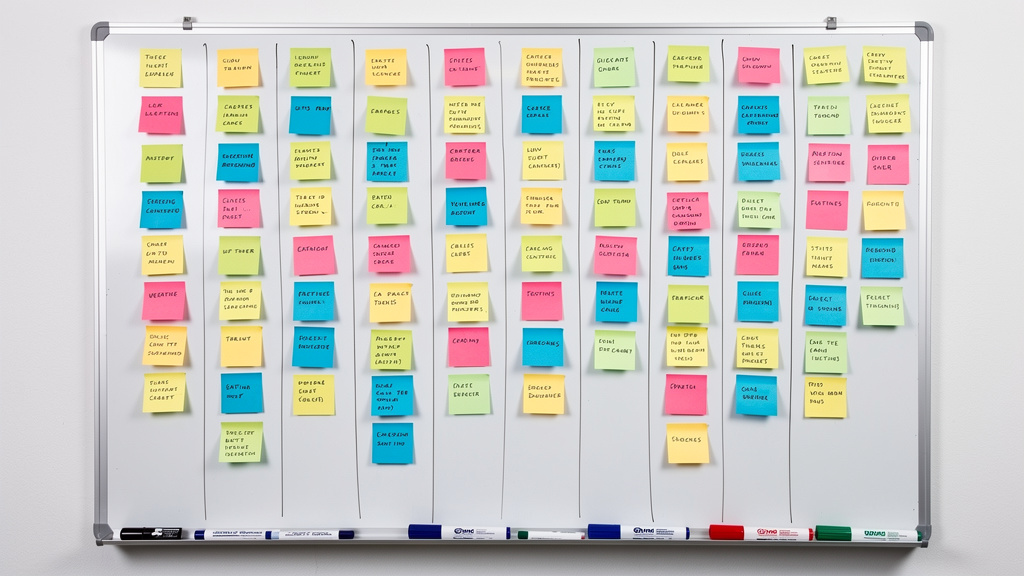
Some meetings are less about pure status and more about walking through a spec, sharing context, or debating trade‑offs. Here async discussion tools shine: one person records or writes a clear pitch, others respond over hours or days, and the final decision lives in writing instead of a hazy memory of a calendar slot.
- Loom turns live demos and walkthroughs into quick screen recordings people can watch whenever they have time. Teammates reply with timestamped comments instead of crowding a call, which is perfect for product reviews, internal training, and stakeholder updates.
- Notion offers one space for specs, project plans, and decision records. Someone writes the first draft, others propose edits inline, and the final call gets captured in a short decision block on the same page.
- Twist by Doist is built around organized threads instead of real‑time chat. Each topic gets its own channel, people reply on their own schedule, and decisions stay readable for anyone who joins later.
- Miro and FigJam give distributed teams an async whiteboard. People add sticky notes, vote, and comment over a set window of time, replacing many workshop‑style meetings while still keeping visual energy for design and strategy work.
- Slite acts as a shared knowledge base with strong decision logs. Teams document proposals, record pros and cons, and tag the people who need to weigh in, so alignment happens in writing first.
"If your only record of a decision is 'we talked about it once,' you do not have a record."
Treat that as a test for whether a topic really needs a live meeting.
AI Workflow And Intelligence Tools Replace Status Plus Context Meetings
Some of the smartest AI meeting replacement tools never ask people to type a status update. They watch the work that already happens in calls, tickets, and documents, then turn it into summaries, alerts, and insights that replace many status‑plus‑context meetings. These AI workflow tools suit sales, support, and operations teams that need constant visibility but cannot live on video calls.
- Grain records key meetings, then helps teams cut them into short clips and highlight reels to share across the company. One well‑run call becomes reusable training, customer insight, or alignment material that others watch on their own time.
- Sembly AI with its Semblian feature listens to meetings and turns them into briefs, action docs, and simple proposals. The follow‑up meeting to recap what happened and decide who owns what often disappears.
- Fireflies.ai captures conversations across many platforms and lets the team query past calls with its AskFred assistant. Instead of scheduling a new sync to recover context, people ask what a client requested or what was promised and get a clear answer from the transcript.
- tl dv focuses on searching across many recordings at once and spotting trends. Product and research teams can find every call mentioning a feature or topic, then read a concise view of what people actually said.
- Avoma records sales and success calls, scores them, and surfaces key moments for managers. Instead of long pipeline review meetings, leaders scan scorecards, listen to selected clips, and comment inside the platform while cutting back on internal status calls.
When You Still Need The Meeting And That Is OK

Even with the best AI meeting replacement tools, some conversations work better live. Tough feedback, conflict between teams, early‑stage pivots, or big creative leaps need real‑time energy, tone of voice, and room for fast back‑and‑forth.
Our goal is not a blanket rule that meetings are bad, but a sharp reduction of low‑value check‑ins. First we replace recurring status calls and vague weekly updates with async tools, then we protect live sessions for deep problem‑solving, pairing, or onboarding. Once a team writes things down and respects async habits, the remaining meetings feel intentional instead of automatic calendar noise.
Key Takeaways
After watching many teams roll out AI meeting replacement tools, a few patterns show up again and again. Use this quick checklist while you choose tools and redesign recurring meetings.
- Start with the meetings that produce the least clear output, such as generic check‑ins where nobody owns follow‑ups. Replace one or two with async workflow tools, collect feedback, and use the quick win to build trust in the new process.
- Choose tools that plug into places where work already lives—Slack, project trackers, CRM—rather than yet another dashboard. Updates should appear where decisions already happen; that fit matters more than any single feature.
- Most teams only need two or three tools: a status tool, a decision or document space, and maybe one intelligence layer. Write a simple rule for when to use each one so people are not guessing.
"Tools do not fix meeting culture by themselves; clear norms do."
Keep that in mind each time you are tempted to add a new recurring call.